
TL;DR
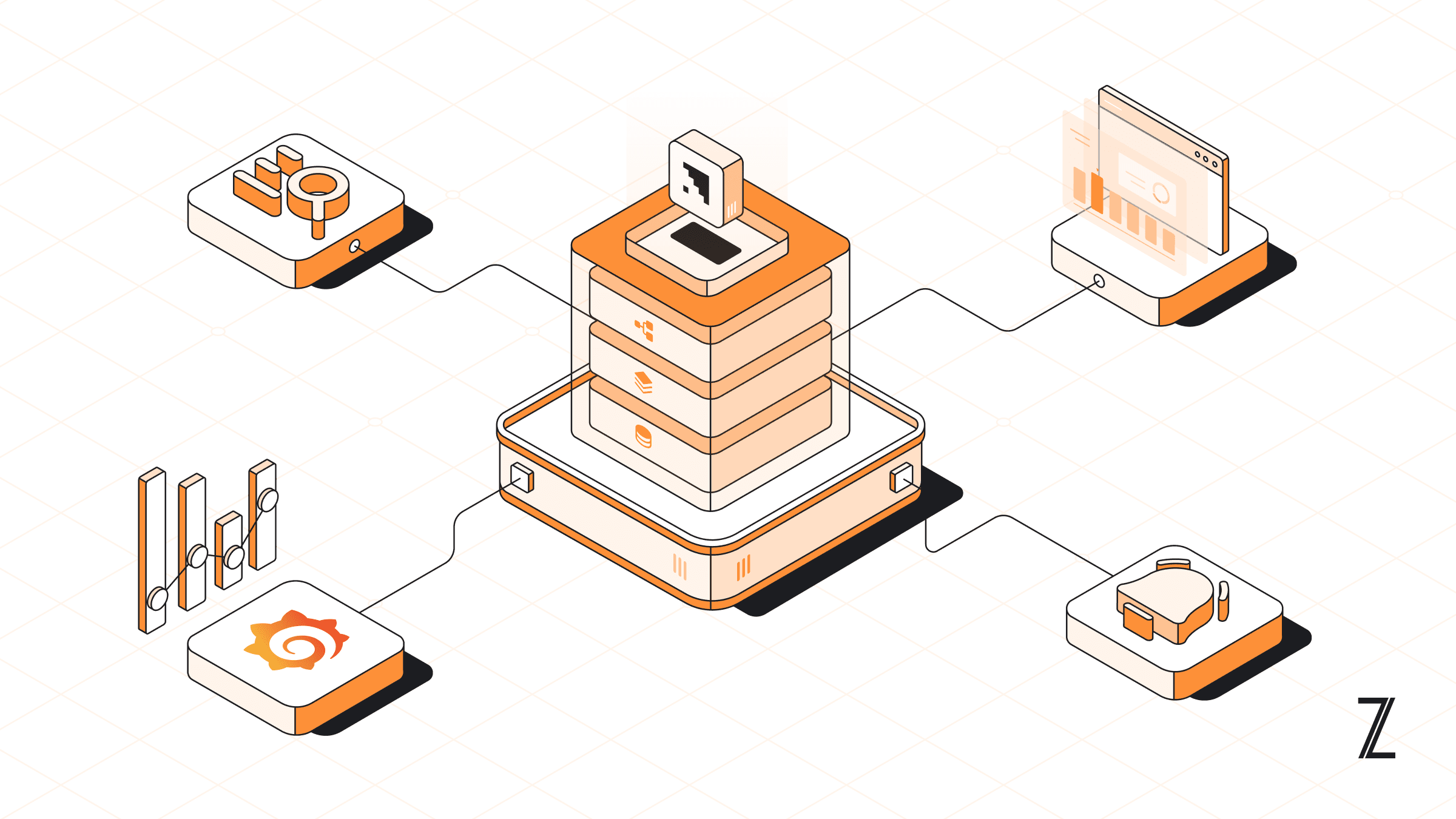
Managing a distributed data system requires constant access to accurate performance data. When you operate Apache Kafka at scale, you need to know exactly how data moves through your pipelines and where it might be stalled. Data Pipeline Observability in Condense provides this visibility by integrating monitoring, governance, and support oversight into a single interface. Instead of using separate tools to check server health, application logs, and support status, you can use these native features to identify the root cause of any processing delay. This system ensures that your Kafka streams remain operational and that you can resolve technical issues before they affect your data consumers.
The Strategic Importance of Unified Observability
In modern data engineering, the complexity of a stream processing architecture often outpaces the tools used to monitor it. A standard Kafka deployment involves multiple moving parts: producers sending records, brokers managing topic logs, zookeeper or KRaft handling metadata, and consumer groups or connectors pulling data to downstream sinks. When a delay occurs, the problem could reside in any of these layers. Without a unified observability strategy, engineers spend a significant amount of time "context switching" that is jumping between cloud provider consoles, terminal based CLI tools, and disparate logging platforms.
Condense addresses this by centralizing three critical functions: real-time performance monitoring, historical activity auditing, and support evel transparency. This approach does more than just show you if a system is "up" or "down"; it provides the technical context necessary to understand why a system is behaving a certain way. By integrating these features directly into the platform where you manage your Kafka resources, Condense reduces the mean time to recovery (MTTR) and improves the overall reliability of your data pipelines.
The Primary Monitoring Engine: Intelligent Observability
The core of the Condense platform is the Intelligent Observability layer. This is not just a collection of logs; it is a live monitoring engine that tracks the performance of the systems running on your cloud infrastructure. Whether your environment is deployed in Azure North Europe or another supported cloud region, the platform provides a consistent and detailed view of your technical health.
Integrated Dashboards and Grafana
The platform provides a centralized dashboard that summarizes the health of your entire ecosystem. This view is meticulously divided into three categories: infrastructure, platform components, and services. This categorization is essential because it allows engineers to quickly isolate where a failure is occurring. For example, if the infrastructure metrics are healthy but the service metrics show a failure, the problem is likely related to application logic or connector configuration rather than a server level resource constraint.
For teams that require deep technical analysis, Condense includes integrated Grafana monitoring. Grafana is an industry standard tool for visualizing time-series data, and its inclusion within the Condense platform allows for granular resource analysis. Through these integrated dashboards, you can view specific metrics such as:
Network Throughput: Monitoring the rate of data being produced to and consumed from Kafka topics.
Disk I/O Latency: Identifying if the underlying storage is slowing down message persistence.
Memory Pressure: Tracking the JVM heap usage of your Kafka brokers to prevent out of memory crashes.
Consumer Lag: Measuring the offset gap between what has been produced and what has been successfully processed.
By using Grafana alongside native dashboards, you can monitor everything from broker uptime to granular network throughput. These visualizations help you distinguish between a service level failure, such as a specific app crashing, and a platform level failure, such as a Kafka broker reaching its capacity limits.
The Three Tiers of System Monitoring
To provide a complete picture of your environment, the platform monitors three specific areas in detail:
Infrastructure Health: This includes metrics for your cloud resources such as CPU usage, memory consumption, and disk input/output operations. Monitoring these is vital for preventing cascading failures in your Kafka brokers. In a distributed system, if one broker becomes overloaded and fails, the load is redistributed to others, which can lead to a total cluster collapse if the underlying infrastructure is not monitored and scaled correctly.
Platform Components: This tier monitors the core services required for Kafka to function. This includes the health of the individual brokers, the stability of the metadata management system, and the connectivity between nodes. The platform ensures that the Kafka cluster itself is healthy and that all brokers are communicating as expected.
Service Performance: This provides direct visibility into the connectors and applications you have deployed. You can see the status of individual services, ensuring that data is flowing correctly from source to sink. This is where most day-to-day debugging happens, as connectors often deal with external API rate limits or database connection issues.
While raw data is available through these dashboards, the platform also uses purpose built AI agents to analyze this information. These agents look for patterns in the telemetry that might indicate a problem before it becomes critical. When the agents detect an issue, they provide actionable insights that help you decide how to adjust your Kafka resources. For example, an agent might suggest that you increase the number of partitions for a topic or scale your consumer applications to handle a higher volume of messages.
Governance and Auditing: The Activity Auditor
While the observability layer focuses on the real-time performance of your system, the Activity Auditor serves as the governance and troubleshooting layer. This feature provides a centralized view of all activities and logs across your account. It is designed to help users track and audit every action performed in workspaces, pipelines, connectors, applications, and user roles.
In many professional environments, a pipeline failure is the result of a configuration change rather than a hardware error. A developer might update an environment variable, change a topic's retention policy, or accidentally delete a critical connector. The Activity Auditor records these changes so that you can maintain transparency within your team. This makes it possible to see exactly what happened when a pipeline stops functioning as expected.
Detailed Features for Governance and Auditing
1. Tracking Workspace Activity
Workspaces are the primary environments where you build and manage your data pipelines. The Auditor tracks every action performed within a workspace, including its creation, modification, or deletion. If a pipeline begins to behave differently after a period of stability, you can check the workspace logs to see if a configuration change was made by a team member. This level of tracking is essential for organizations that require high levels of accountability and change management.
2. Connector Lifecycle and Failure Logs
Connectors are responsible for moving data between Kafka and external systems. Because these systems are often managed by different teams or third parties, connectors can fail for many reasons, such as firewall changes or expired credentials. The Activity Auditor tracks every stage of a connector's lifecycle. Most importantly, it captures failure logs. If a connector stops working, you can view the specific error message, such as an authentication failure or a network timeout, directly in the platform dashboard. This eliminates the need to manually extract logs from the Kafka Connect cluster.
3. Monitoring Application Activities
Your stream processing applications are also tracked within the Auditor. You can see when an application was created, edited, or deleted. If an application encounters an error during execution, the platform logs the failure so that you can investigate the cause. This visibility ensures that you can maintain the health of the custom logic that processes your Kafka streams, regardless of whether that logic is simple filtering or complex event driven microservices.
4. Support Visibility and Transparency
A unique and vital aspect of the Condense observability suite is the dedicated visibility into support actions. Many cloud managed services operate as "black boxes," where backend changes are made by the provider without the user's knowledge. Condense changes this by providing a specific monitoring section for support related activities.
This allows you to track when system level assistance is provided and monitor any maintenance tasks performed by the support team. If a system wide patch is applied or a broker is restarted for maintenance, it appears in your logs. This ensures that even high level administrative interventions are transparent and documented, preventing any "mystery" changes to the environment that could affect your production data flows.
5. Managing Users and Roles
Security and governance require you to know who has access to your system and what they are allowed to do. The Auditor monitors all actions related to user management and role assignments. If a user is added to the organization or if their permissions are changed, a log entry is created. This allows you to verify that only authorized personnel are making changes to your data infrastructure and provides a clear audit trail for security compliance (such as SOC2 or GDPR).
A Practical Approach to Monitoring and Debugging
When you need to fix a problem in your data pipeline, you can use the Condense platform to follow a structured debugging process. This process is designed to be efficient, allowing you to find the cause of a failure without searching through multiple external logging services.
Phase 1: Check System Performance and Grafana
Start by looking at your monitoring dashboards and Grafana panels. These show you real-time data on consumer lag and throughput. If the dashboards show that your Kafka brokers are running out of memory or that your CPU usage is too high, you have identified a resource based issue. You can use this information to scale your infrastructure appropriately, perhaps by adding more brokers or increasing the instance size of your existing nodes.
Phase 2: Use the Activity Auditor for Context
If your infrastructure appears healthy but data is not moving through your pipeline, you should check the Activity Auditor. This layer will help you understand the context of the failure.
Filter the Logs: Use the filter tool to select the specific feature you are investigating, such as "Connectors" or "Pipelines."
Isolate Workspaces: Filter the logs to show only the activities in the affected workspace, such as your "Production Main" environment.
Search for Keywords: Use the search bar to find specific logs using keywords like "Failure," "Error," or "Delete." You can also search for a specific username to see the actions performed by a team member. If a colleague made an edit to a connector five minutes before the failure occurred, you will find that event here.
Phase 3: Review Support Actions
If the issue persists and involves system level changes, consult the support monitoring section. Verifying if any recent support interventions coincided with the pipeline issue can help rule out or confirm configuration shifts that occur outside of standard user workflows. This ensures you are not troubleshooting a user error when the actual cause was a planned system update.
Phase 4: Apply Technical Fixes
Once you have identified the error through the failure logs, you can take action. Because Condense includes integrated Kafka resource management, you can make changes directly within the platform. You can update a connector configuration, adjust your topic partitions, or restart a stalled application to restore your data flow. The ability to monitor and manage in the same place significantly reduces the complexity of data engineering operations.
Managing Kafka Resources Native to the Platform
Observability is only truly effective when it allows you to take immediate action. Condense allows you to manage your Kafka resources, such as topics, partitions, and replication factors, using the data provided by the monitoring and auditing layers.
For instance, if your monitoring data shows that a topic is consistently bottlenecked, you can increase the number of partitions to improve throughput. If a connector is failing due to a configuration error, you can edit the connector settings and restart it. This integration ensures that you do not have to switch between different tools to monitor and manage your data ecosystem. It provides a seamless loop where observability informs management, and management improvements are immediately visible in the observability metrics.
The Value of 30 Day Log Persistence
In many fast paced environments, technical issues are not noticed immediately. A connector might fail on a Friday evening and go unnoticed until Monday morning. Most standard logging systems have very short retention periods or require complex configuration to store logs for longer. Condense provides 30 days of activity logs by default.
This 30 day window is sufficient for:
Historical Auditing: Reviewing changes made over a full month for compliance purposes.
Post-Mortem Analysis: Investigating the root cause of a failure even if it happened weeks ago.
Pattern Recognition: Identifying if a specific connector or application fails at the same time every week, which could indicate an external system's maintenance window.
Key Takeaways for Data Engineering Teams
Multi Layered Monitoring: Combine Intelligent Observability with Grafana to track real-time performance across infrastructure, platform components, and services.
Effective Governance: Use the Activity Auditor to track every change made to your workspaces and pipelines for accountability and compliance.
Support Oversight: Monitor support level actions to ensure total transparency for all system level interventions.
Integrated Logs: Access failure logs for connectors and applications directly in the UI, reducing the time spent on manual troubleshooting.
Data Retention: The platform keeps 30 days of activity logs, providing a historical record that is useful for audits and post-mortems.
Native Resource Management: Act on your observability data immediately by adjusting Kafka resources directly within the platform.
Conclusion
Successful data engineering requires a system that is both transparent and manageable. By using Data Pipeline Observability in Condense, you gain access to the technical metrics, administrative logs, and support oversight needed to maintain a reliable system. The primary monitoring engine ensures that your Kafka streams are performant, while the governance layer provides the accountability needed to troubleshoot configuration changes. This combined approach allows you to manage your Kafka resources with precision and ensures that your data pipelines remain operational under any conditions.